Step 1 - Theme Options
To begin customizing your site go to Appearance -> Customizer and select Theme Options. Here's you'll find custom options to help build your site.
To begin customizing your site go to Appearance -> Customizer and select Theme Options. Here's you'll find custom options to help build your site.
To add a slider go to Theme Options -> Homepage and choose page slider. The slider will use the page title, excerpt and featured image for the slides.
To add featured content go to Theme Options -> Homepage (Featured) and turn the switch on then add the content you want for each section.

We are teaming with Sotera Consulting to further help your business At JetSpecs, we are continuing to expand our services to help all our current customers and future customers. One of the areas where we’ve been asked to cover is OSHA compliance. The great news is that we know just the people to help! We’ve…

JetSpecs can help with more than just your Aerospace needs While the bulk of our experience lies in the aerospace field, that is not all we can help you with. Over the years our customers have told us they weren’t sure if we could help them. Not because they doubted our ability, but because our…

Your Privacy is Important On May 25, 2018, a new set of privacy standards is hitting the world. While this is an American company and we aren’t expecting any European customers, JetSpecs takes this issue very seriously! We have made a brand new privacy policy page on our website. Now you can read exactly what…
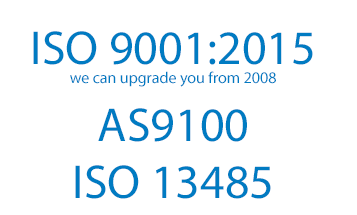
JetSpecs can help your company be certified today. We are set up to handle ISO 9001:2015 (including upgrades from 2008 version), ISO 13485, and AS9100. Let us join your team and help grow your business. We are just waiting to help your company be the best it can be. After September 2018 any company still…